
Product Bundles Guide
Boost Average Order Value (AOV) by offering curated product bundles and volume discount packages directly to shoppers.
What is a Product Bundle Offer?
A Bundle Offer groups two or more complementary items together (e.g. Camera + Tripod + SD Card or Buy a 3-Pack & Save 20%) and presents them to shoppers with a bundled discount incentive.
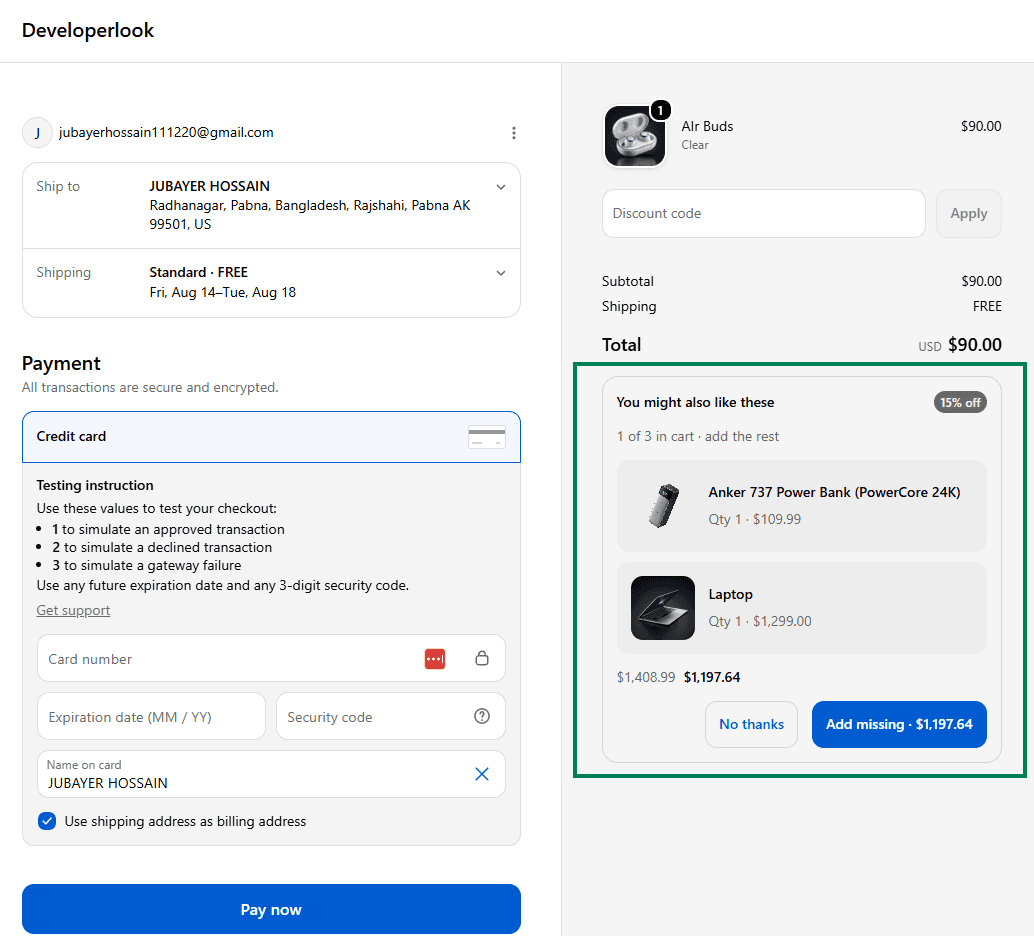
Complete-the-Set & Volume Strategies
- Complete-the-Set: Automatically recommended when a shopper adds one constituent item to their cart. Cartwheel computes the combined original price and displays missing items at a bundle discount.
- Frequently Bought Together: Pair a main product with matching accessories (e.g. Laptop + Protective Sleeve + Wireless Mouse).
- Volume Discount Multi-Packs: Offer tier discounts for purchasing multiple quantities of the same item (e.g. 1 Unit (Full Price), 2 Units (15% OFF), 3 Units (25% OFF)).
Installation: Enabling Bundle Offers
Bundle offers are displayed natively on the Shopify checkout page using the same Checkout UI extension as Checkout Upsells.
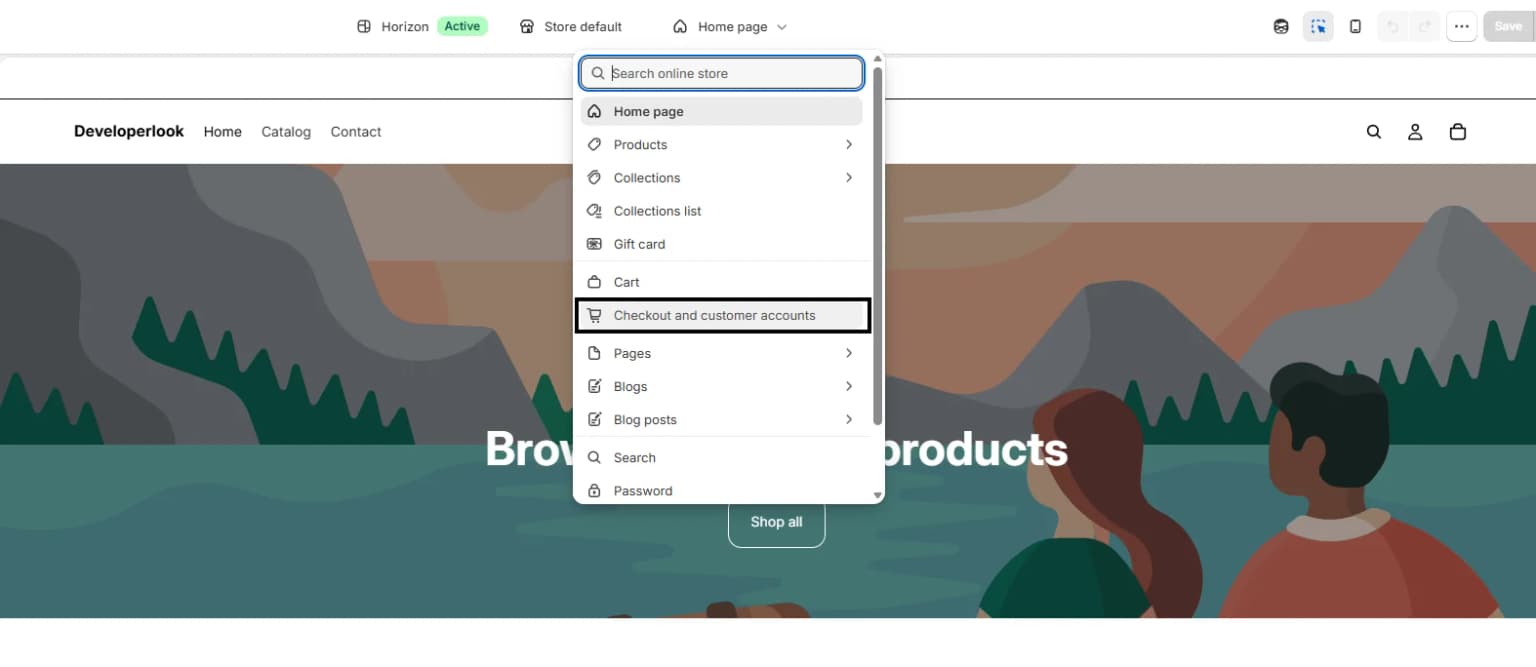
- Open Shopify Admin → Online Store → Edit theme.
- Switch the top dropdown from Home page to Checkout.
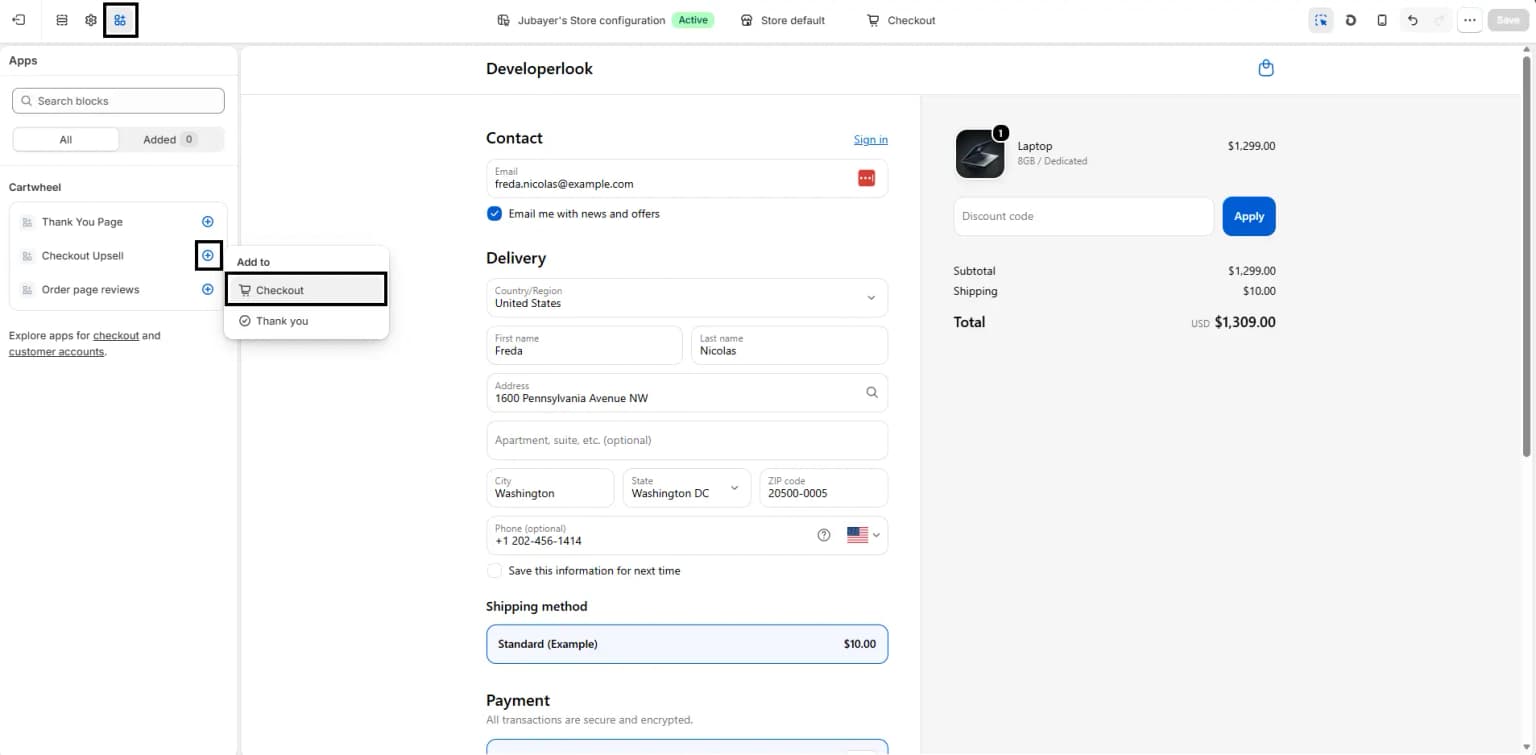
- Click Apps at the left side of the header and enable Checkout Upsell.
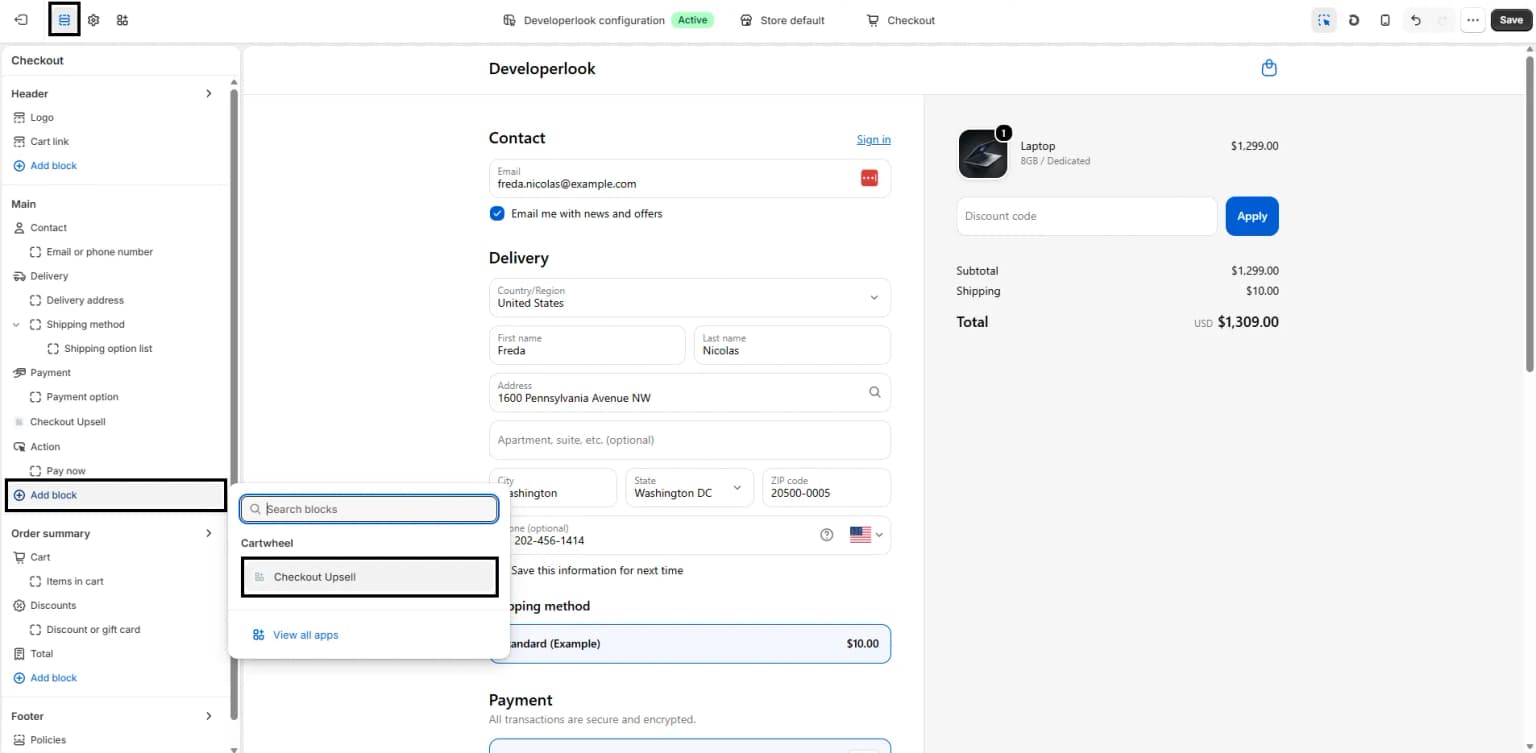
- Click Add Block under the Checkout page layout.
- Toggle on Include block in the right-hand sidebar.
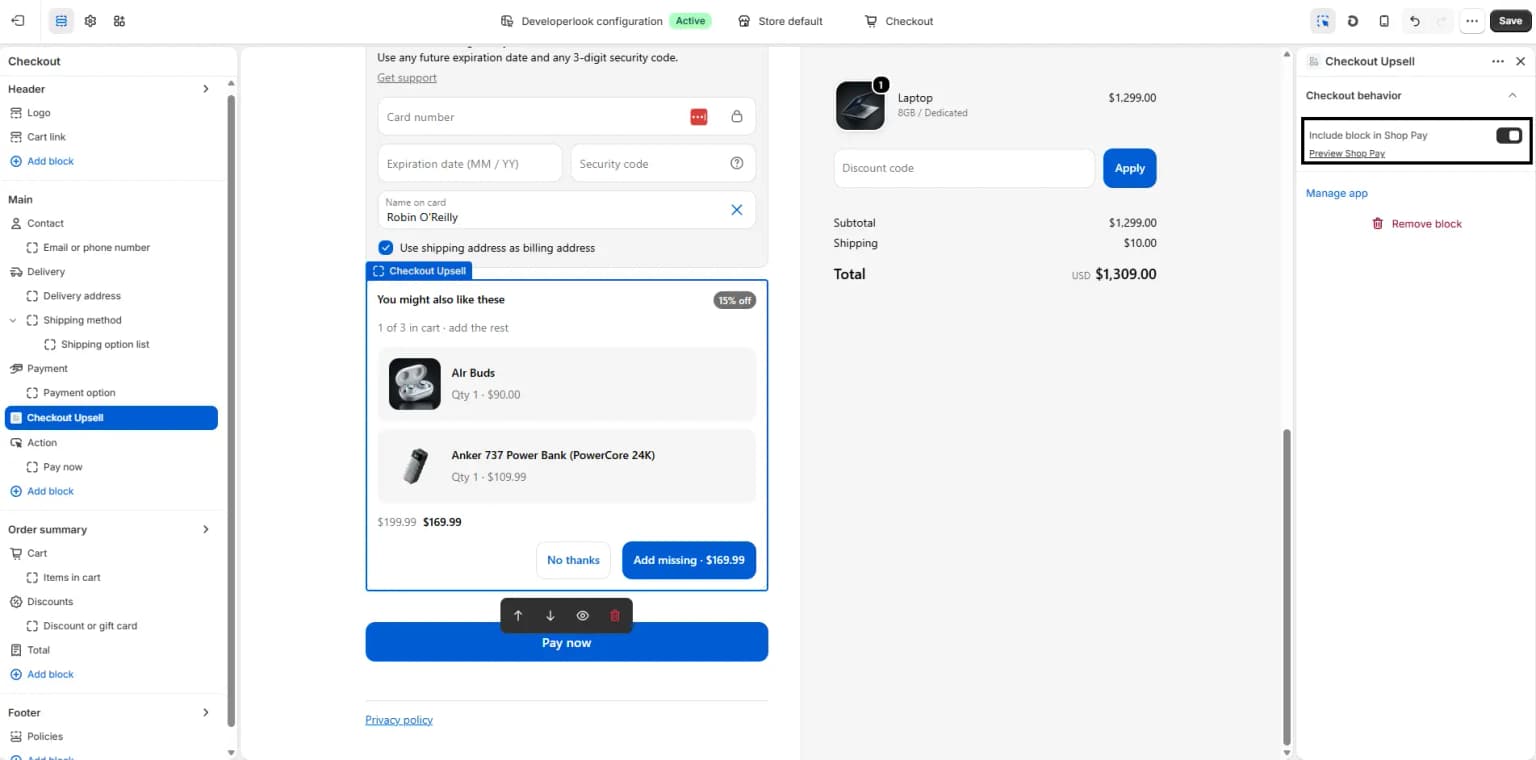
- Select Cartwheel Checkout Upsell and position it in your checkout sidebar or main order summary.
- Click Save.
Setting Up a Bundle Offer
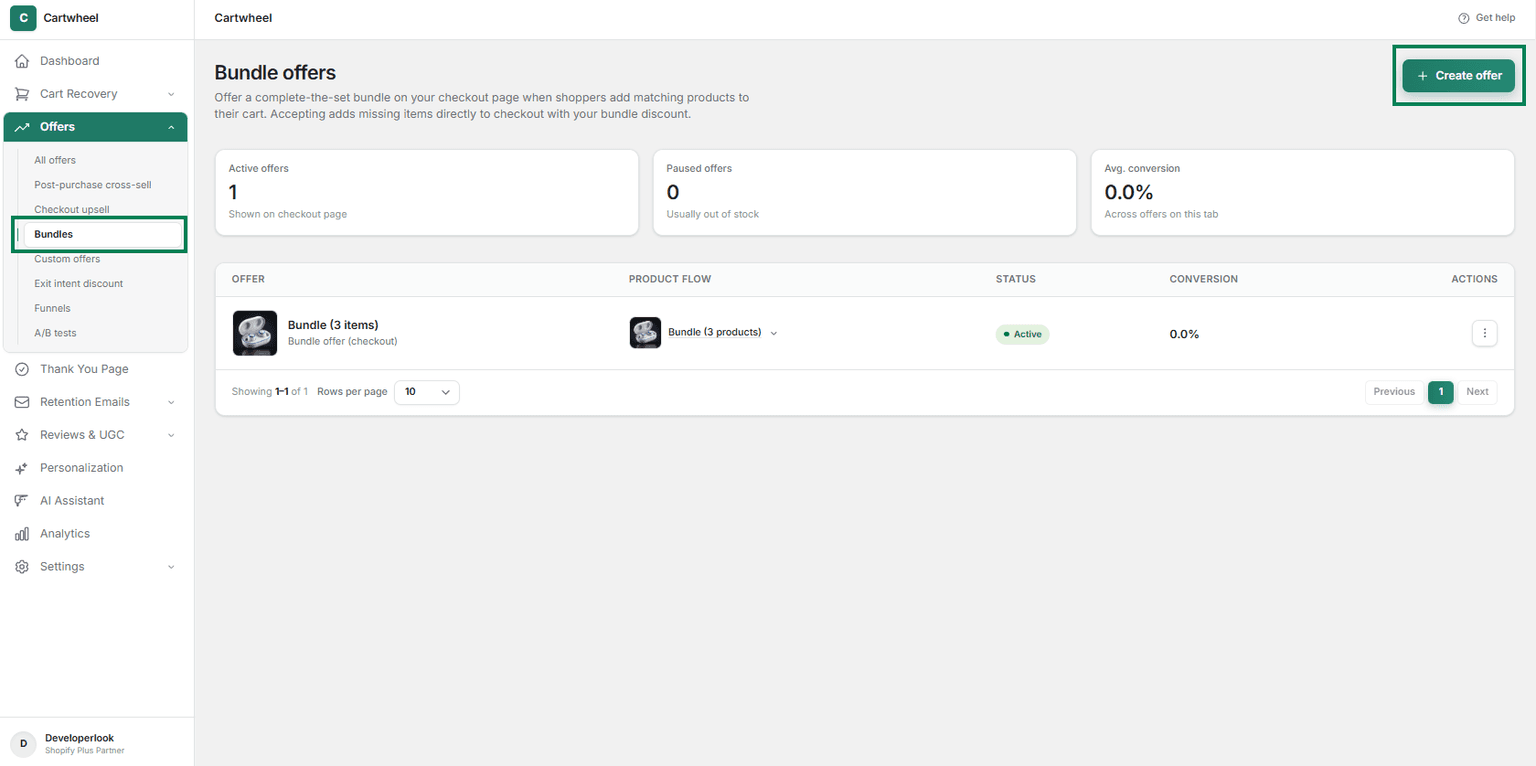
- Navigate to Cartwheel Admin → Offers → Bundles.
- Click Create Offer.
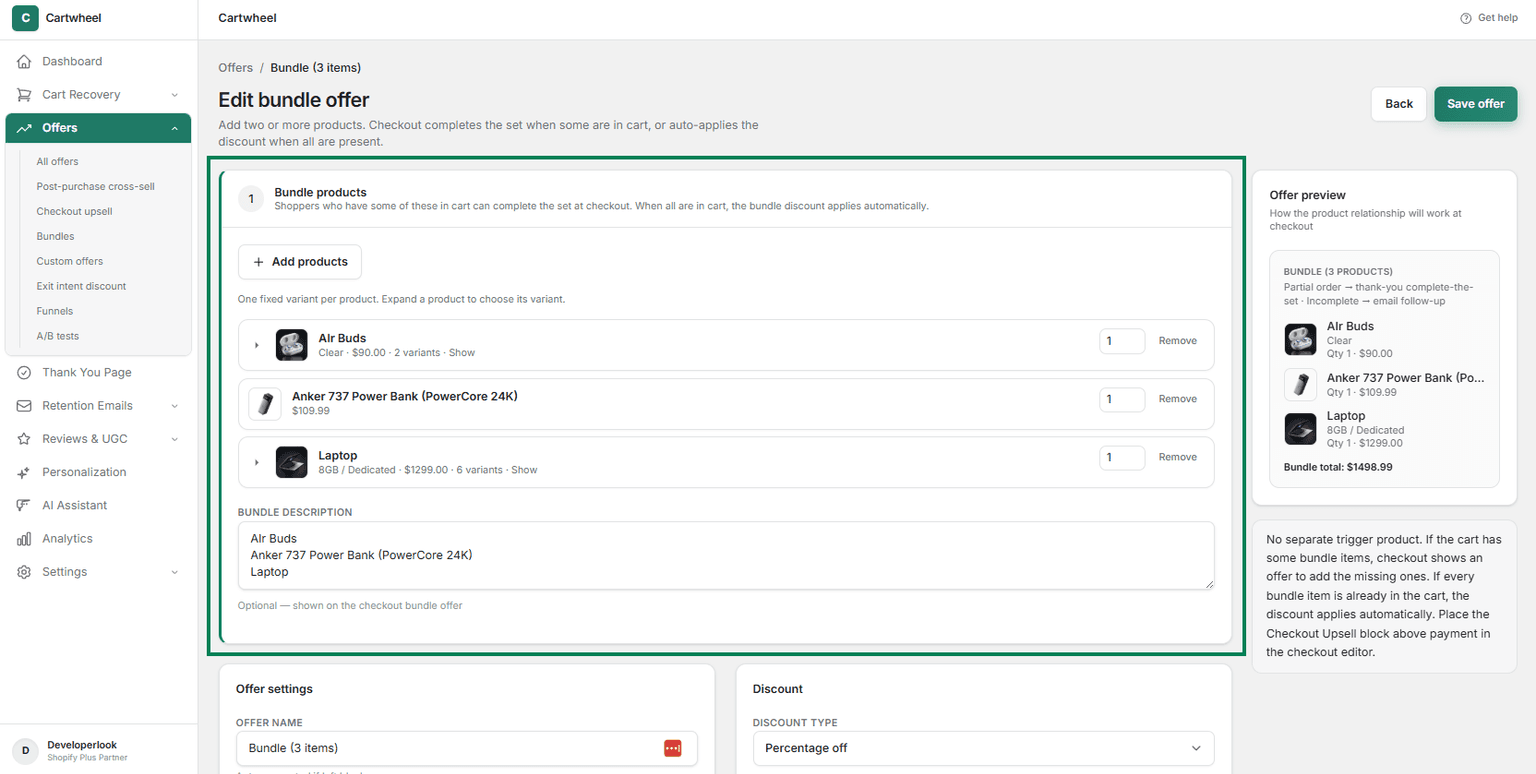
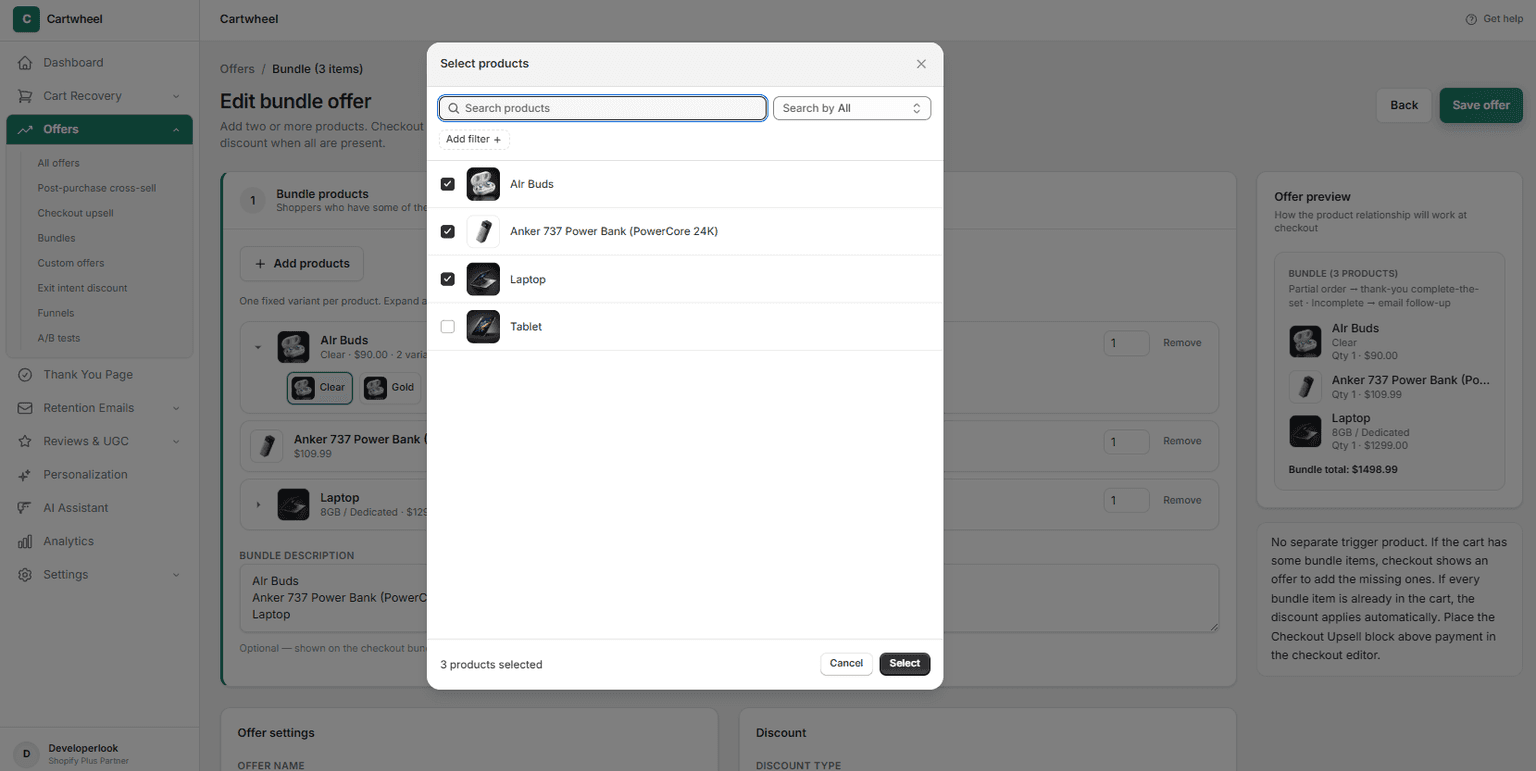
- Select Bundle Items:
- Add two or more products or specific variants that make up the set (e.g., Shampoo + Conditioner).
- Cartwheel automatically computes the combined total original price across all constituent items.
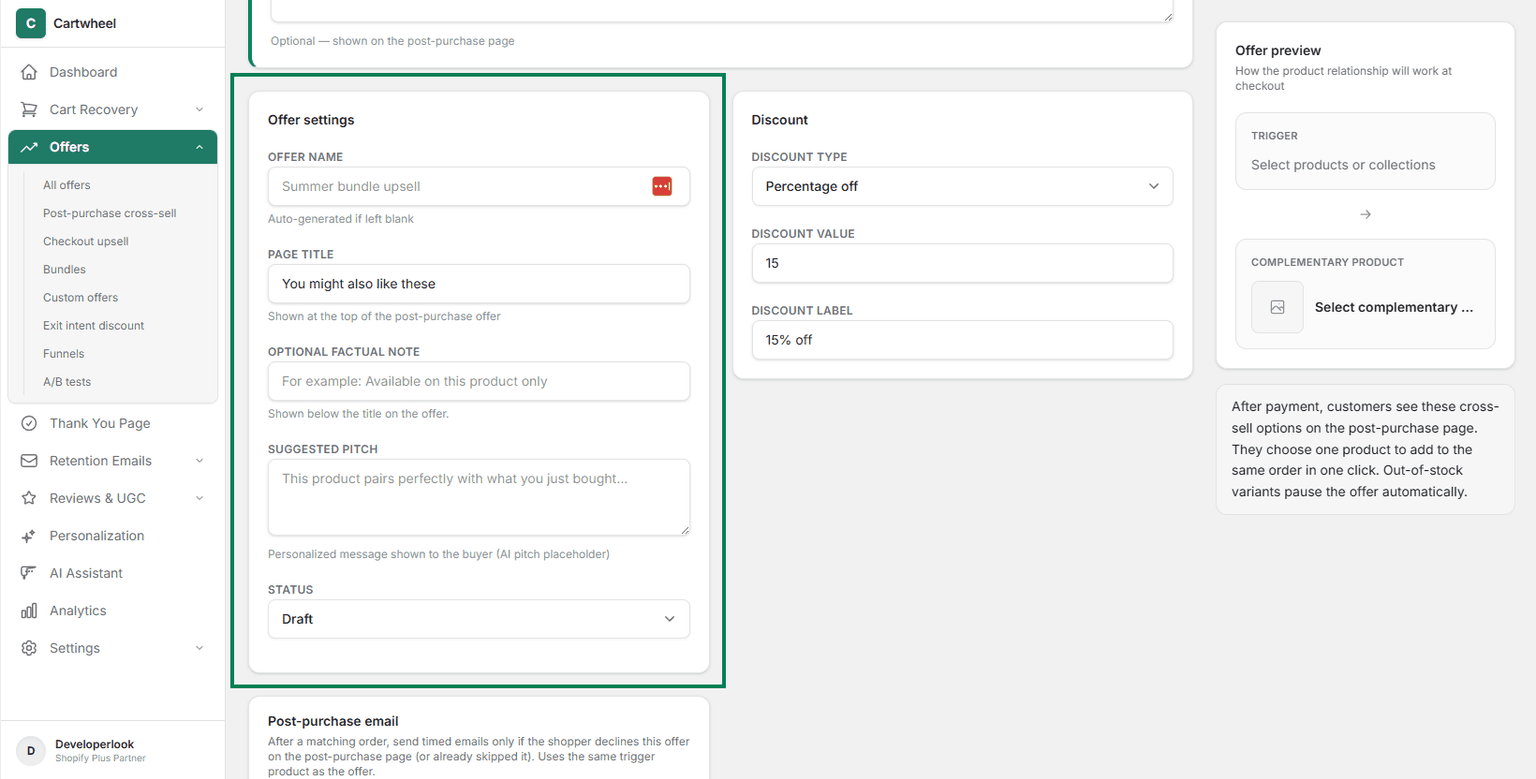
- Configure offer settings: Set offer name, page title, Optional factual note, Suggested pitch, and status.
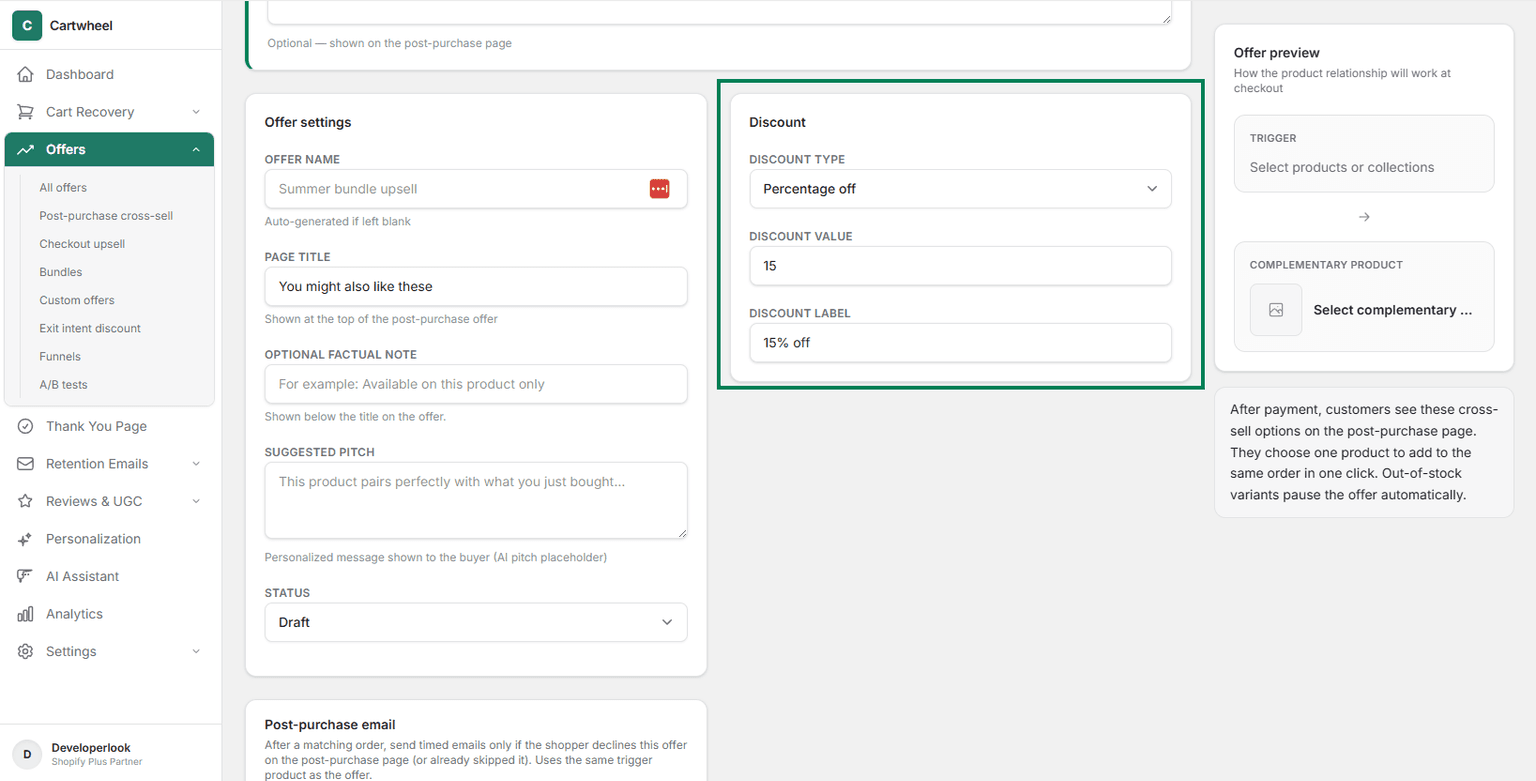
- Set Discount: Choose a discount type:
- Percentage Discount (e.g., 20% OFF)
- Fixed Amount Off (e.g., $10 OFF)
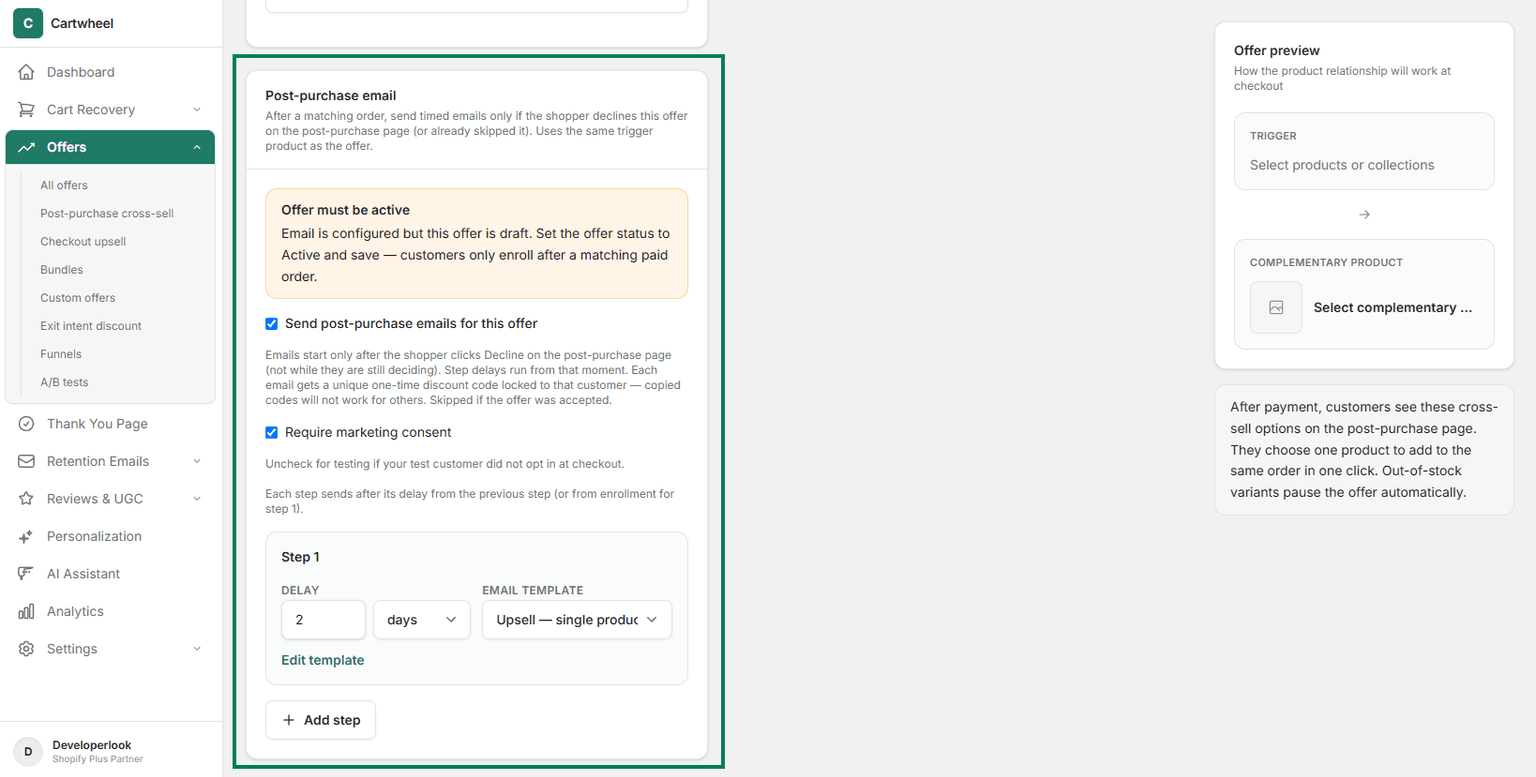
- Post-purchase email: Configure post-purchase email. Set a schedule for sending post-purchase email to customer.
- Publish: Toggle status to Active and save.