
Product Reviews & Storefront Setup Guide
Collect authentic customer star ratings, photo and video reviews, sync tagged Instagram and Facebook posts, and display verified social proof across your Shopify storefront.
Overview: How Cartwheel Reviews & UGC Work
Cartwheel includes an end-to-end customer reviews and user-generated content (UGC) suite designed to build social proof and lift conversion rates without third-party app bloat.
The Reviews & UGC suite is organized into a top Storefront Setup banner and three dedicated workspaces:
- Storefront Setup (This Guide): Embed the Product reviews block and UGC gallery carousel on your theme product templates, and enable inline reviews on customer order status pages.
- Review Requests & Email Delivery (
/app/reviews/emails): Monitor 30-day review request metrics, manage scheduled/sent delivery queues, copy direct customer submission links, and customize the delivery email template. - UGC Gallery & Moderation (
/app/reviews/ugc): Moderate customer-submitted review photos and tagged Meta social assets, link media to specific store products, and publish verified UGC to live storefront widgets. - Review Settings & Social Sync (
/app/reviews/settings): Configure automated delivery delay windows, fulfillment fallbacks, photo/video reward incentives (discounts or loyalty points), and connect Facebook & Instagram accounts.
Reviews & UGC Workspaces Navigation
Navigate across Cartwheel Admin to access each reviews workspace:
- Review Requests & Email Delivery — View delivery metrics, edit the review request template, filter scheduled/sent requests, and copy direct review URLs.
- UGC Gallery & Moderation — Inspect incoming customer media and Meta tagged posts, link assets to products, and approve or reject submissions.
- Review Settings & Social Sync — Set post-delivery email delays, configure discount/loyalty rewards, connect Meta Developer credentials, and manage provider integrations.
Storefront Setup: Adding Theme Blocks & Extensions
Prominently displayed at the top of the Reviews & UGC dashboard (/app/reviews) is the Storefront setup banner, providing 1-click deep links to configure your Shopify theme:
1. Adding Theme App Blocks to Product Pages
- In Cartwheel Admin → Reviews & UGC, locate the top Storefront setup banner and click Manage product template (or navigate in Shopify Admin to Online Store → Themes → Customize):
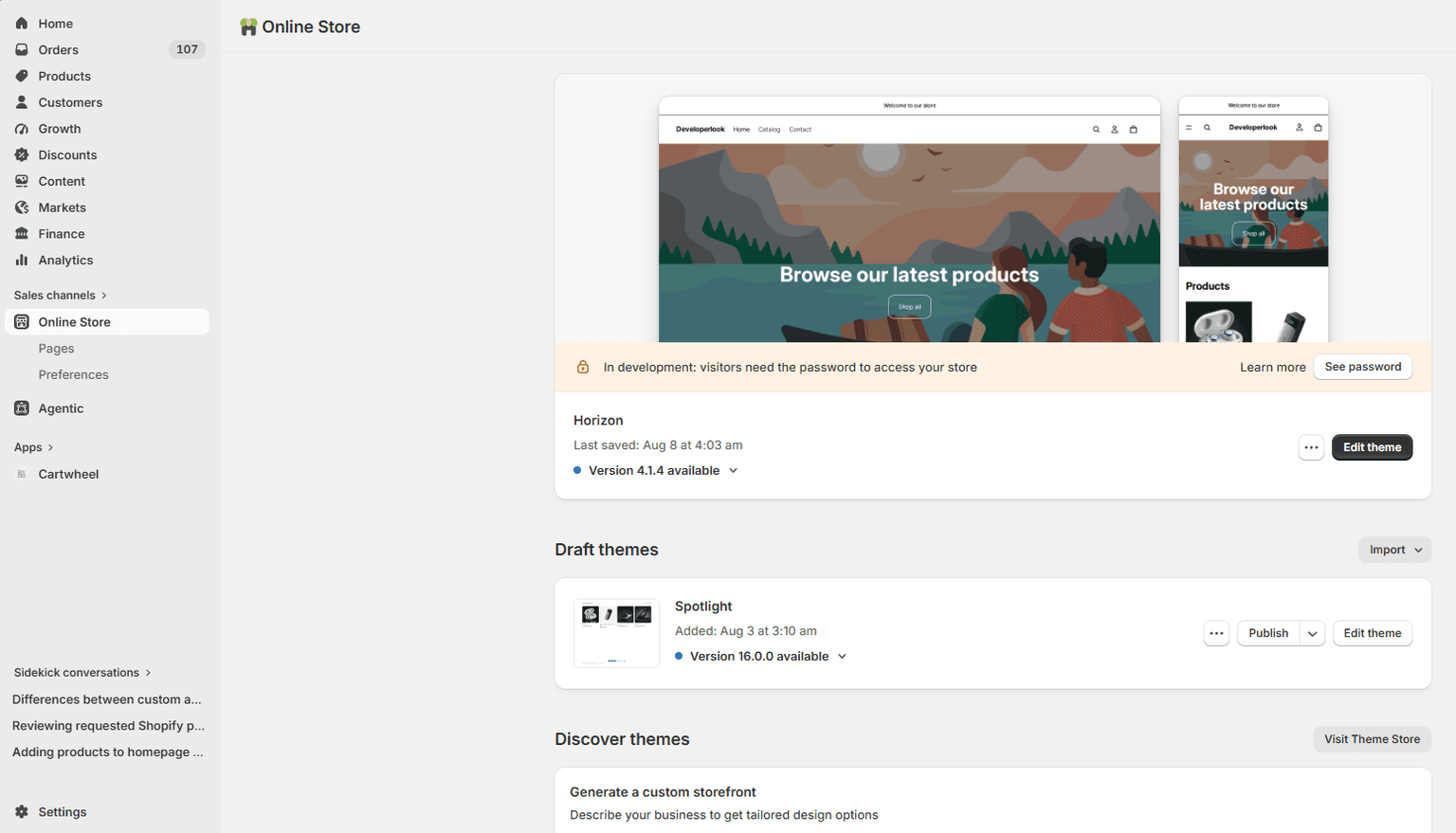
- In the Shopify Theme Editor top navigation bar, open the template selector dropdown and choose Products:
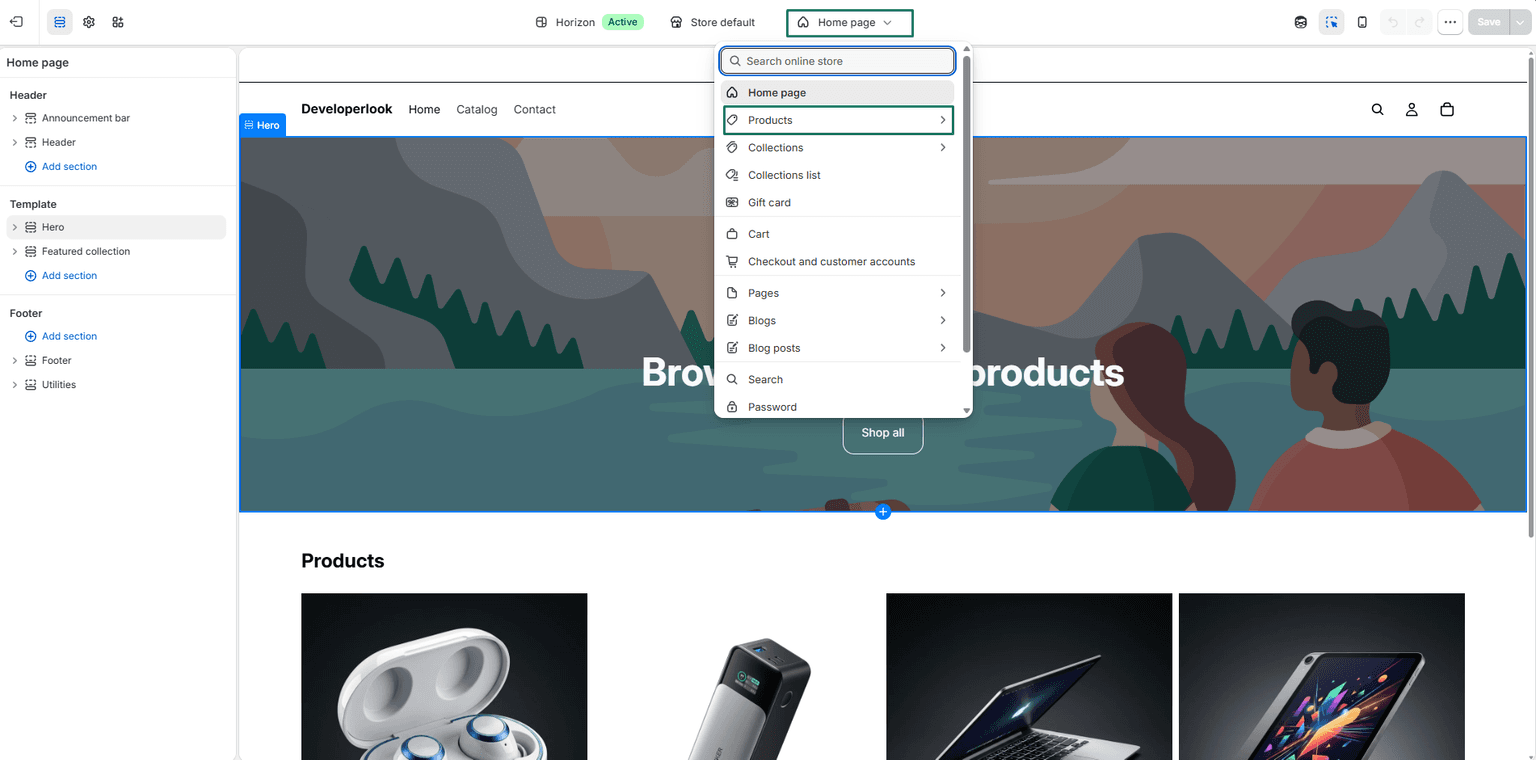
- Select your target product template (such as Default product):
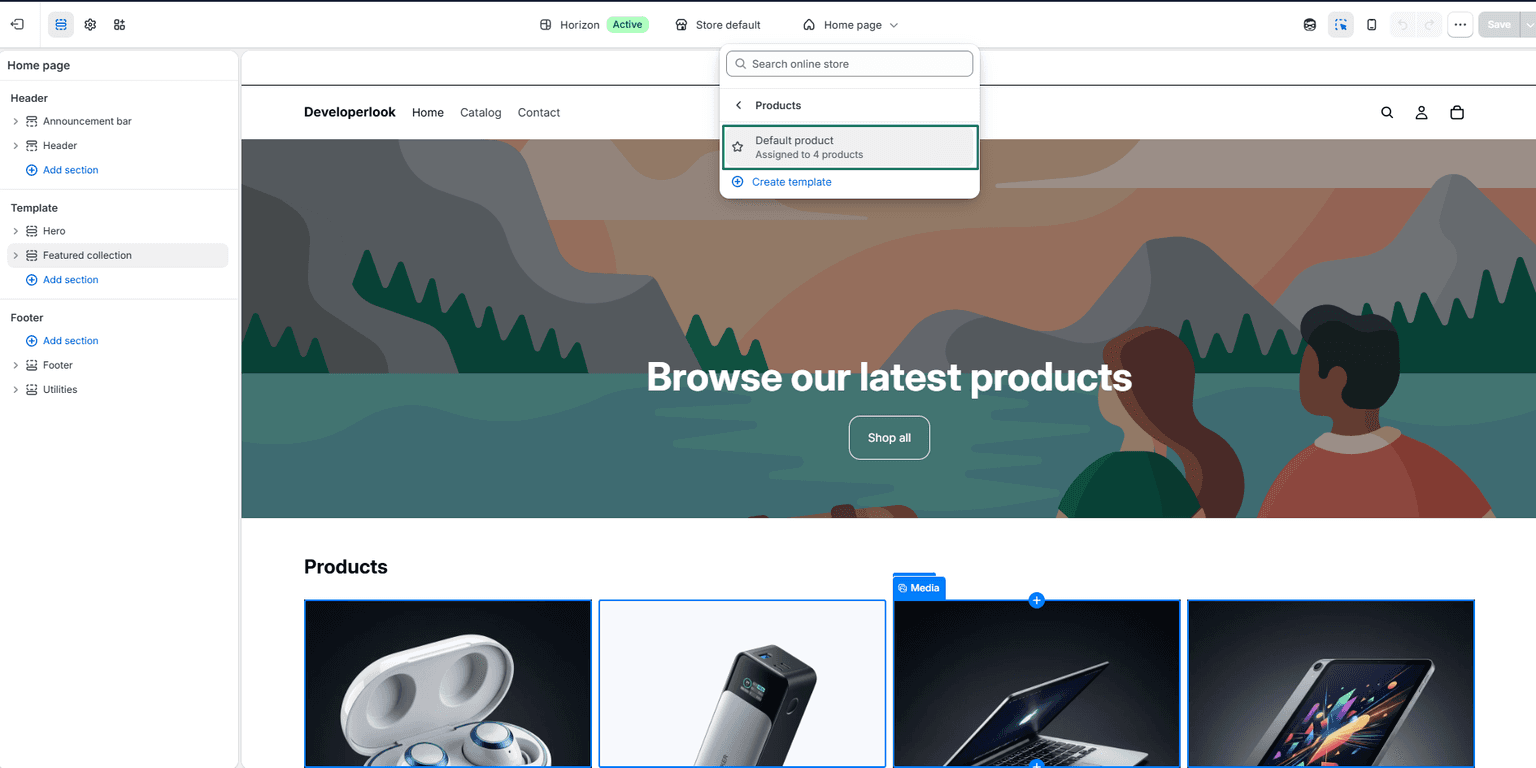
- In the left template section sidebar under Product information (or your preferred page section), click + Add block:
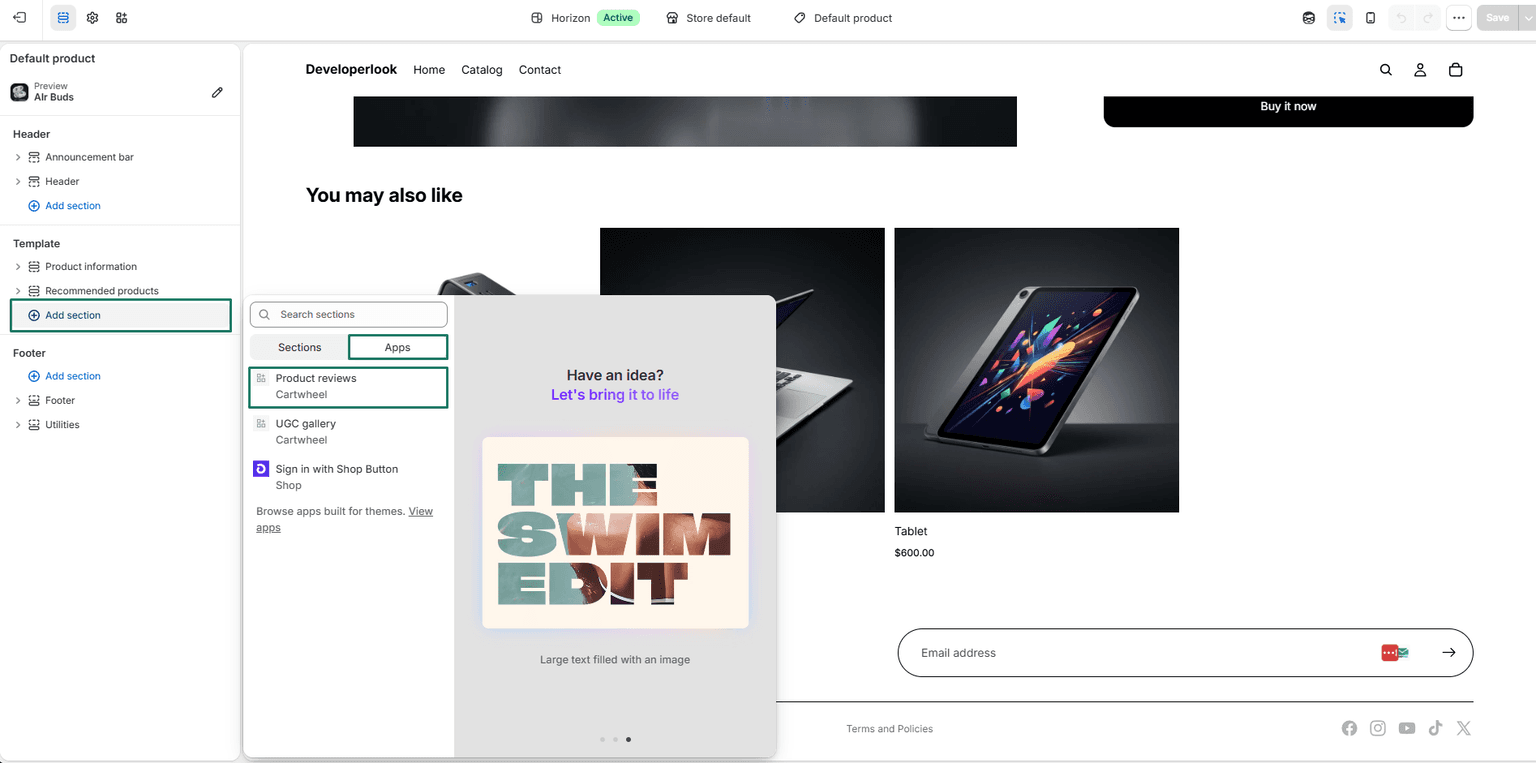
- From the Apps tab, select Product reviews (and optionally UGC gallery):
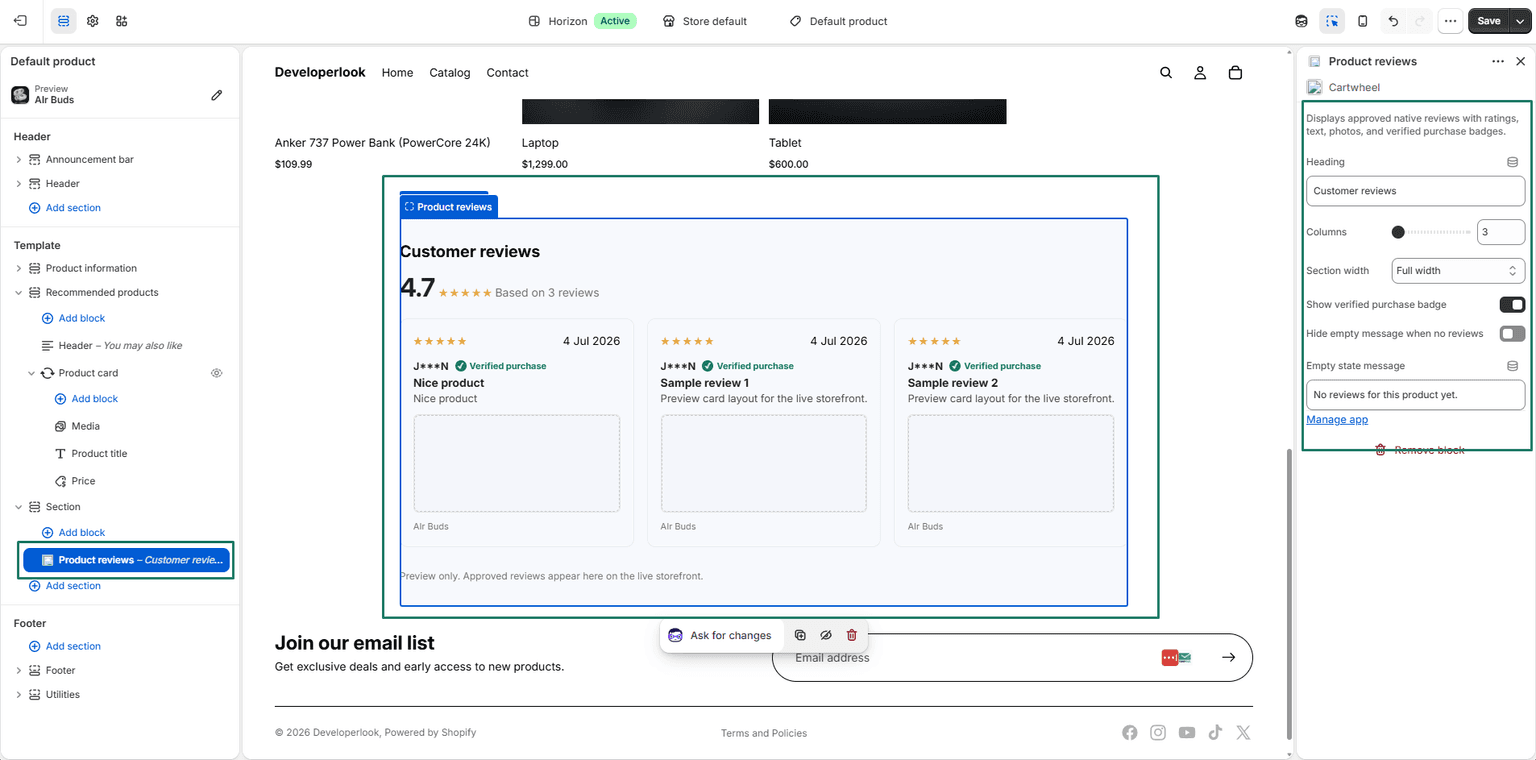
- Product reviews: Renders aggregate star score, rating breakdown bars, verified buyer badges, written reviews, and customer photo thumbnails.
- UGC gallery: Renders a responsive grid or carousel of approved customer photos and tagged Instagram posts.
- Customize heading, column count, width, and empty-state display options in the block settings sidebar.
- Position the block at your preferred location on the product page and click Save in the top right of the Shopify Theme Editor.
2. Enabling the Customer Order Page Review Extension
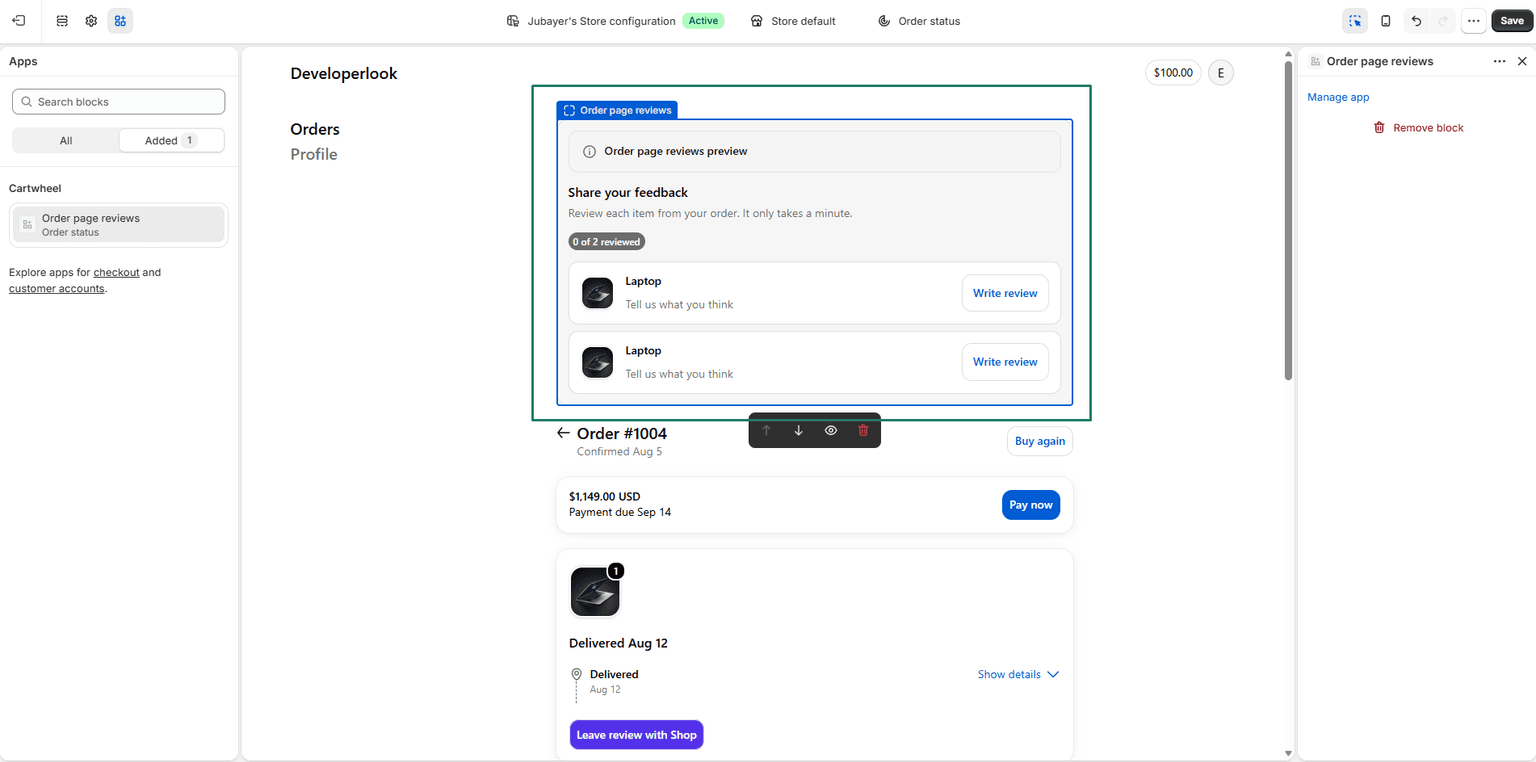
Allow customers to submit reviews directly from their Shopify order confirmation and status pages:
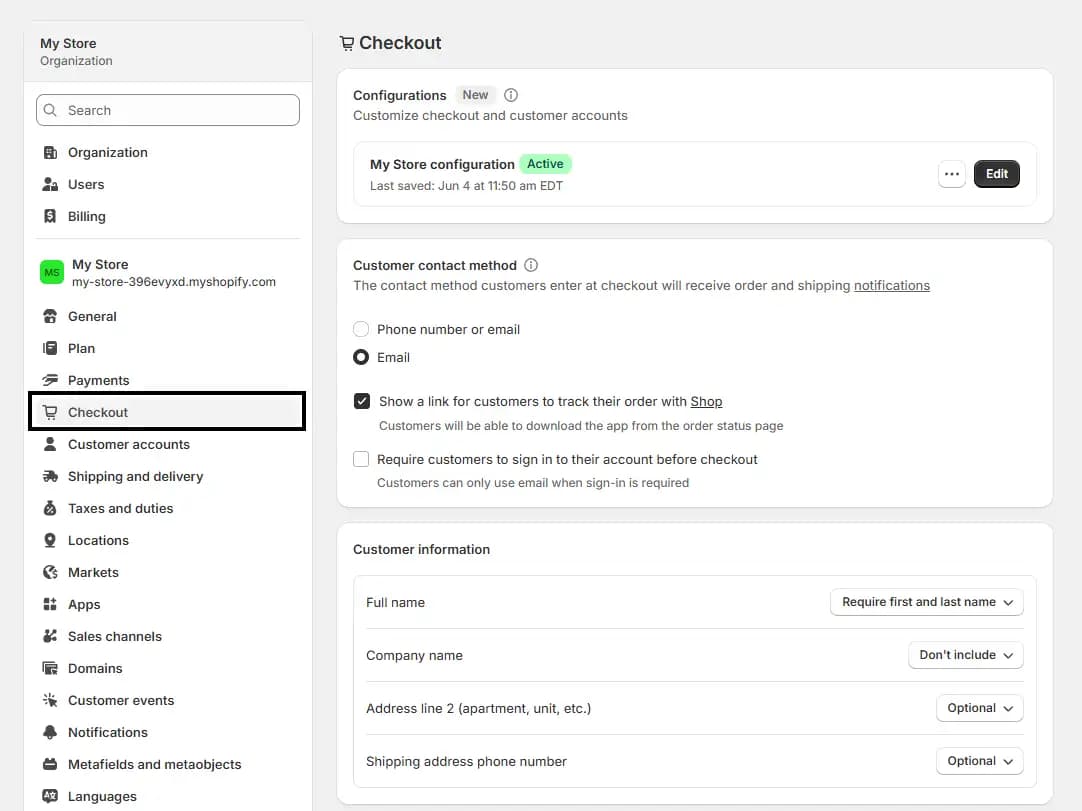
- In Shopify Admin, navigate to Settings → Checkout and click Customize:
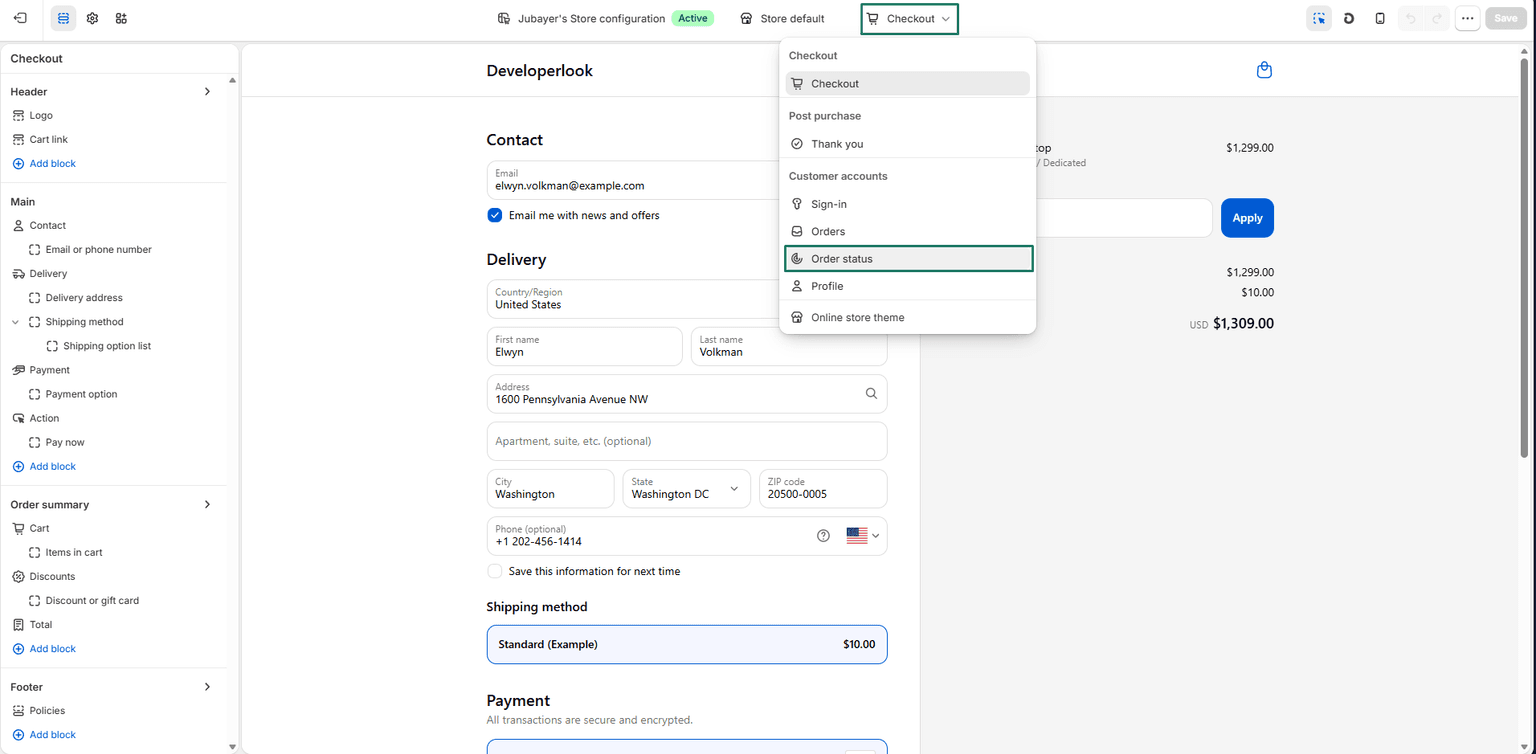
- In the Checkout Editor top navigation bar, open the template dropdown and select Order status:
- In the left template section sidebar, click Apps and add Order page reviews to the Order status page:
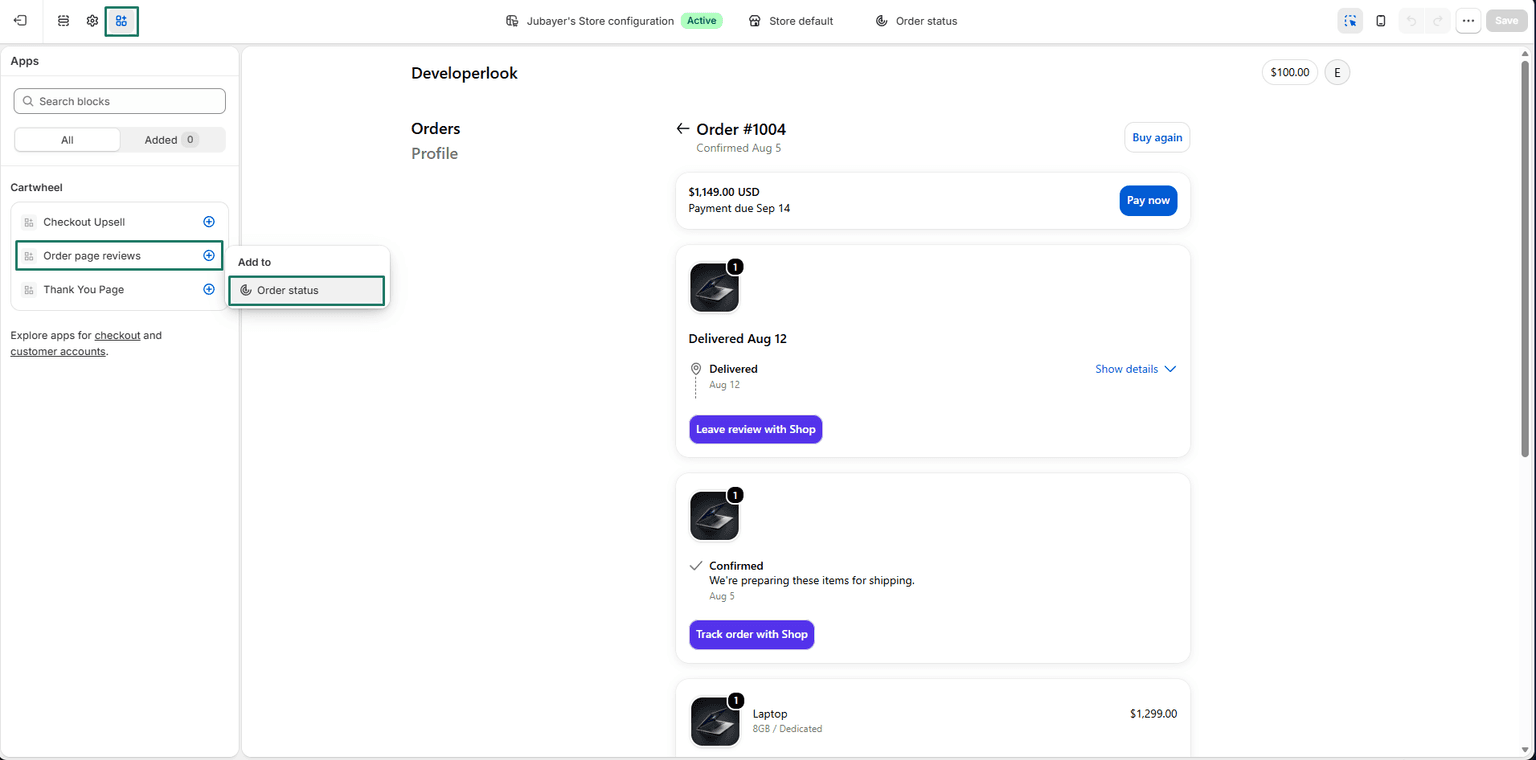
- Position the block under the order line items section and click Save in the top right header:
Related Guides
- Review Requests & Email Delivery — managing delivery schedules, request filters, and email templates
- UGC Gallery & Moderation — approving customer review photos and tagged Meta social posts
- Review Settings & Social Sync — configuring reward incentives, delivery delays, and Meta integration
- Email Template Builder Guide — customizing review request email layouts and Handlebars merge tags
- Loyalty Program & Tiers Guide — rewarding review submissions with VIP points and perks