Custom Offers Guide
Design bespoke upsell widgets and tailored promotional offers displayed on your store's Thank You page.
What is a Custom Offer?
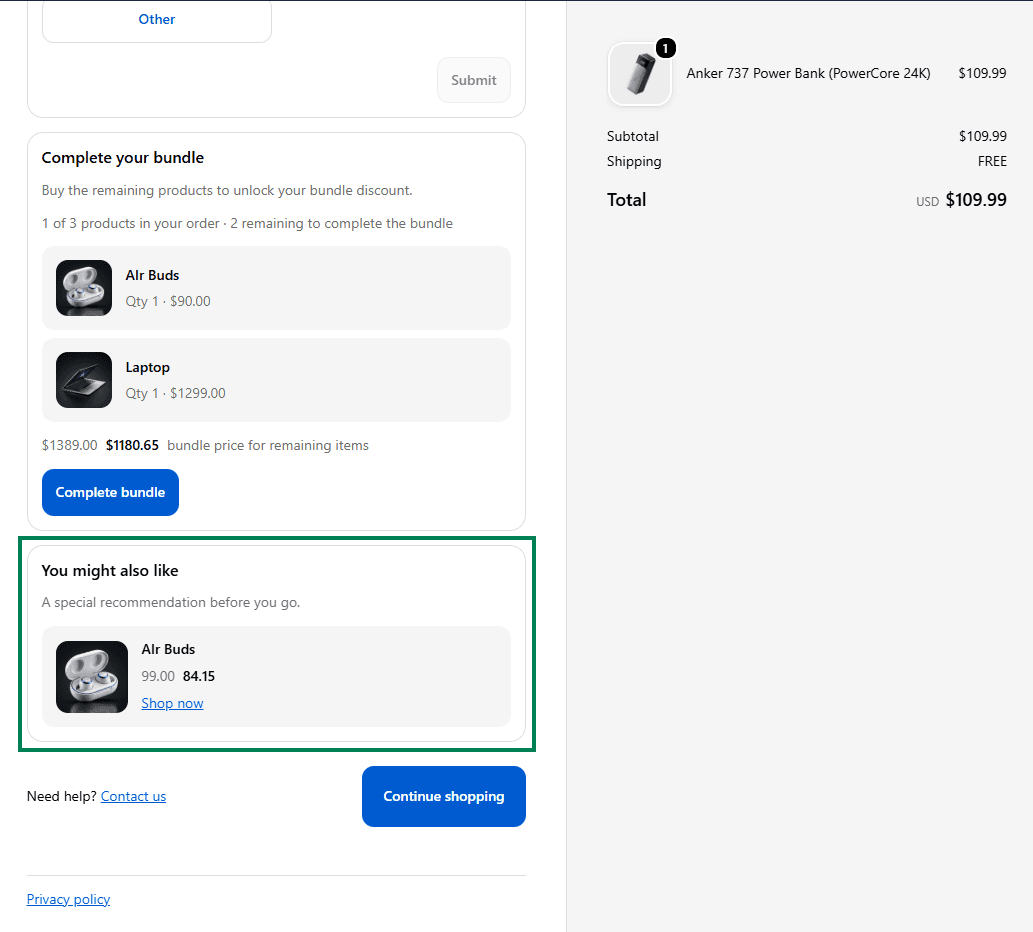
A Custom Offer allows merchants to build specialized promotional blocks placed exclusively on the Thank You Page using the Cartwheel Thank You Page Builder. Custom offers go beyond standard upsell recommendations, allowing you to showcase VIP perks, mystery add-ons, extended warranties, or custom promotional banners to customers immediately after they complete an order.
Setting Up a Custom Offer
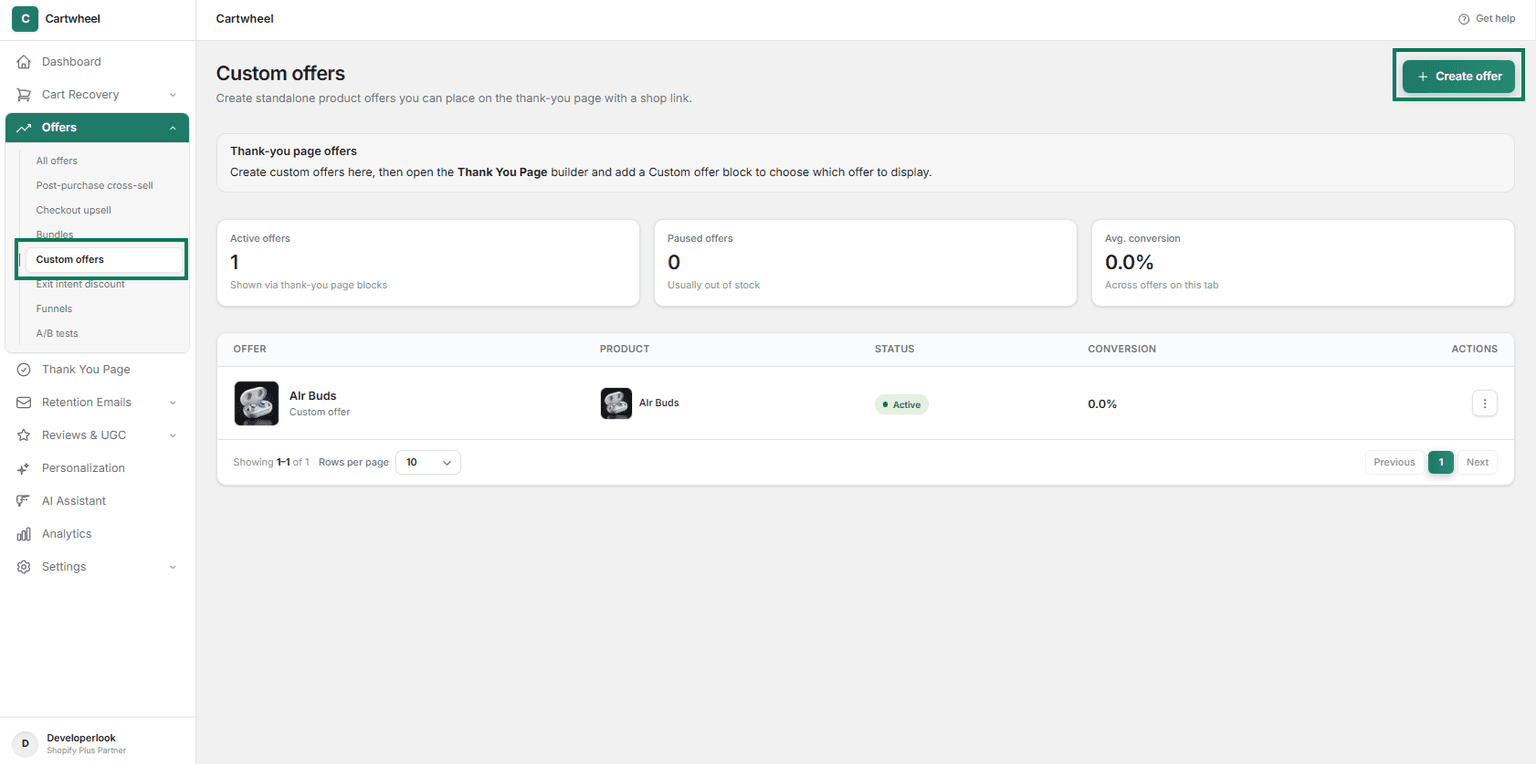
- Navigate to Cartwheel Admin → Offers → Custom Offers.
- Click Create Offer.
- Select Offer Product: Choose the product you want to offer as a custom offer.
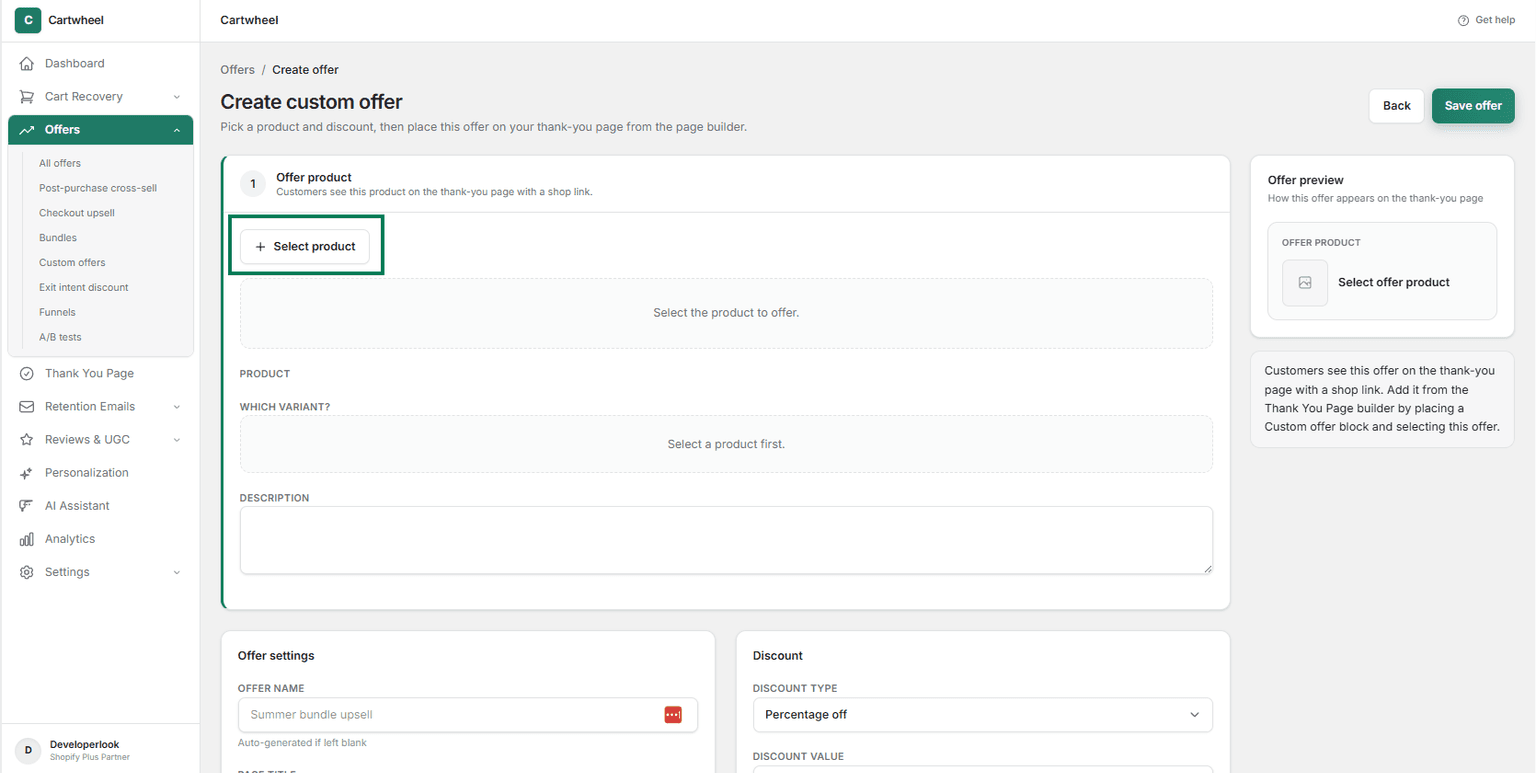
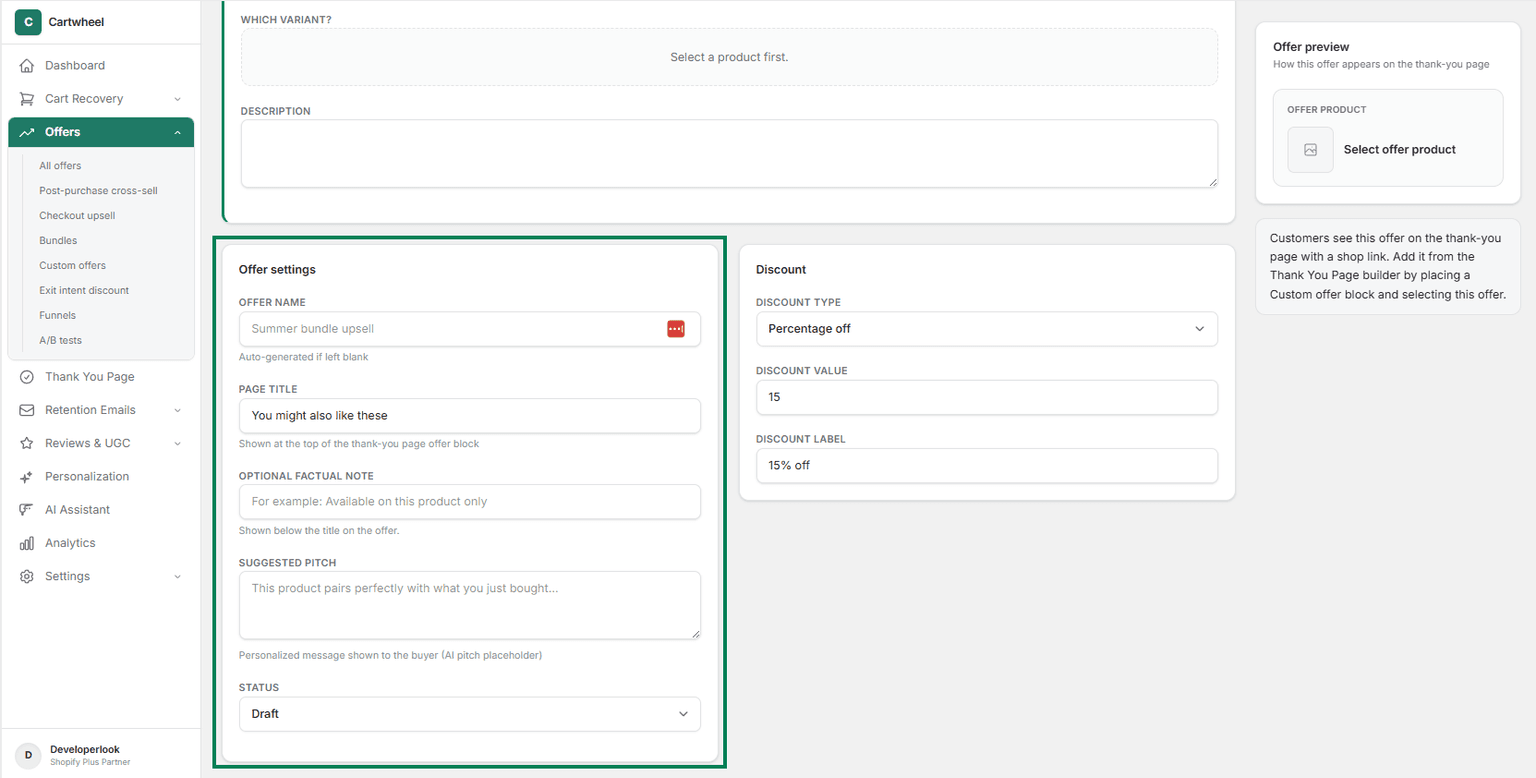
- Offer Customization:
- Set Offer Name, Page Title, Optional Factual Note and Suggested Pitch.
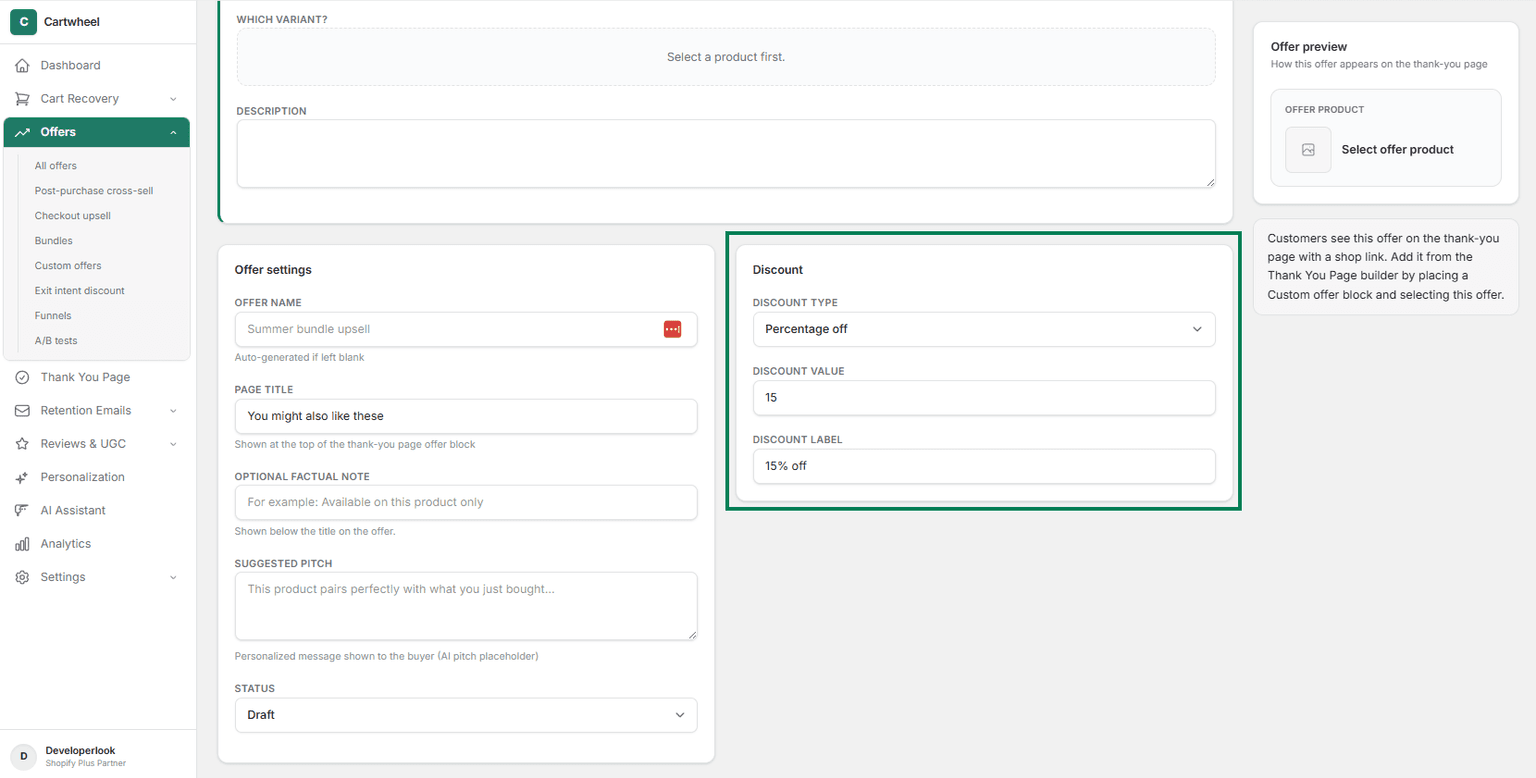
- Discount & Pricing Rules: Set custom fixed pricing or automatic percentage discounts.
- Publish: Toggle status to Active and save.
Installation
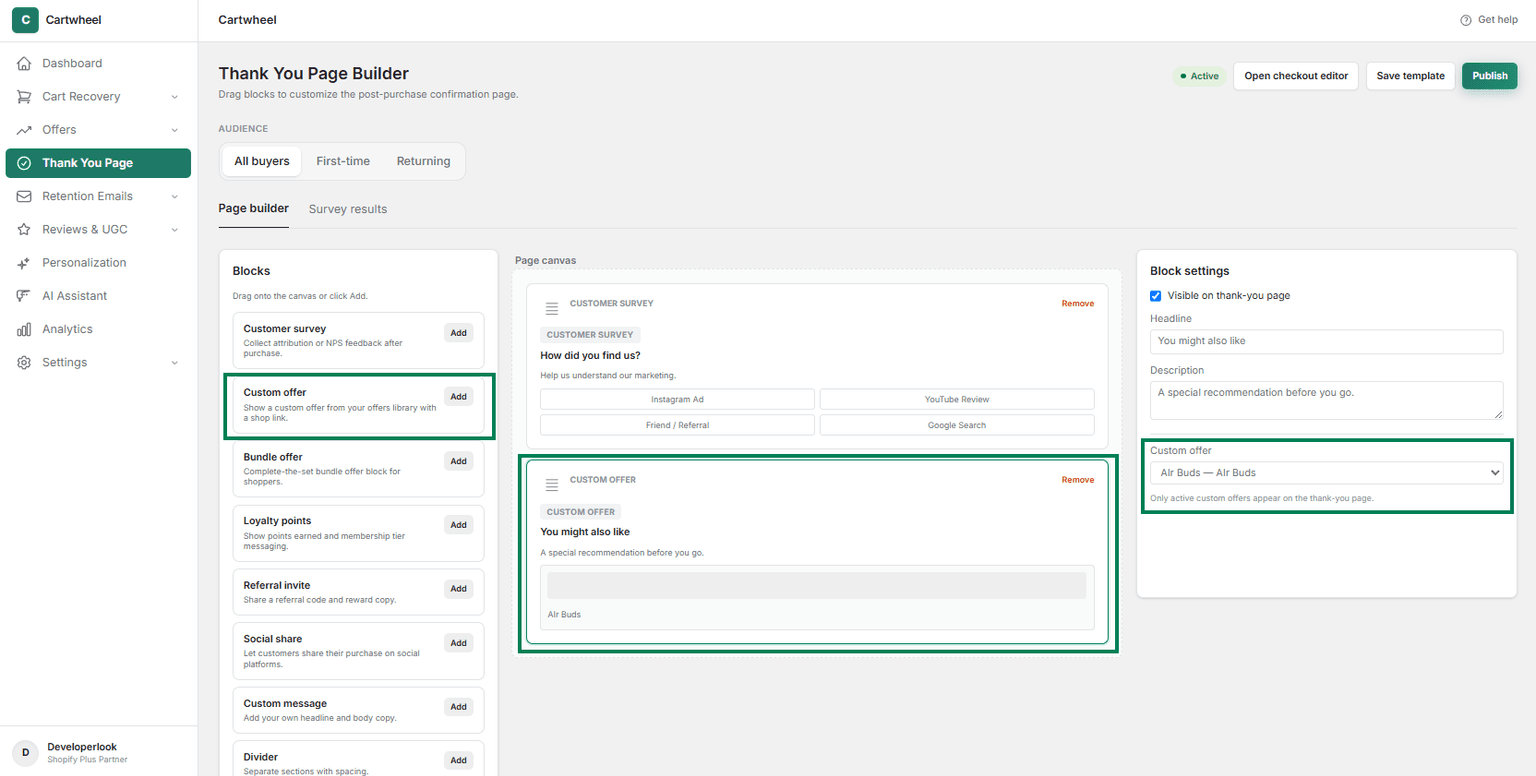
- Go to Shopify Admin → Thank You Page.
- Add Custom offer block to the thank you page.
- Select offer from the dropdown list in the right sidebar.
- Publish the changes.